Callastream | Easy Digital Signage
Play Video on Any Screen
Bring your signage to life with video. CallaStream lets you display video content on any connected screen by simply providing a URL — no media player required. Supports MP4 video URLs and Vimeo, with more sources coming soon.
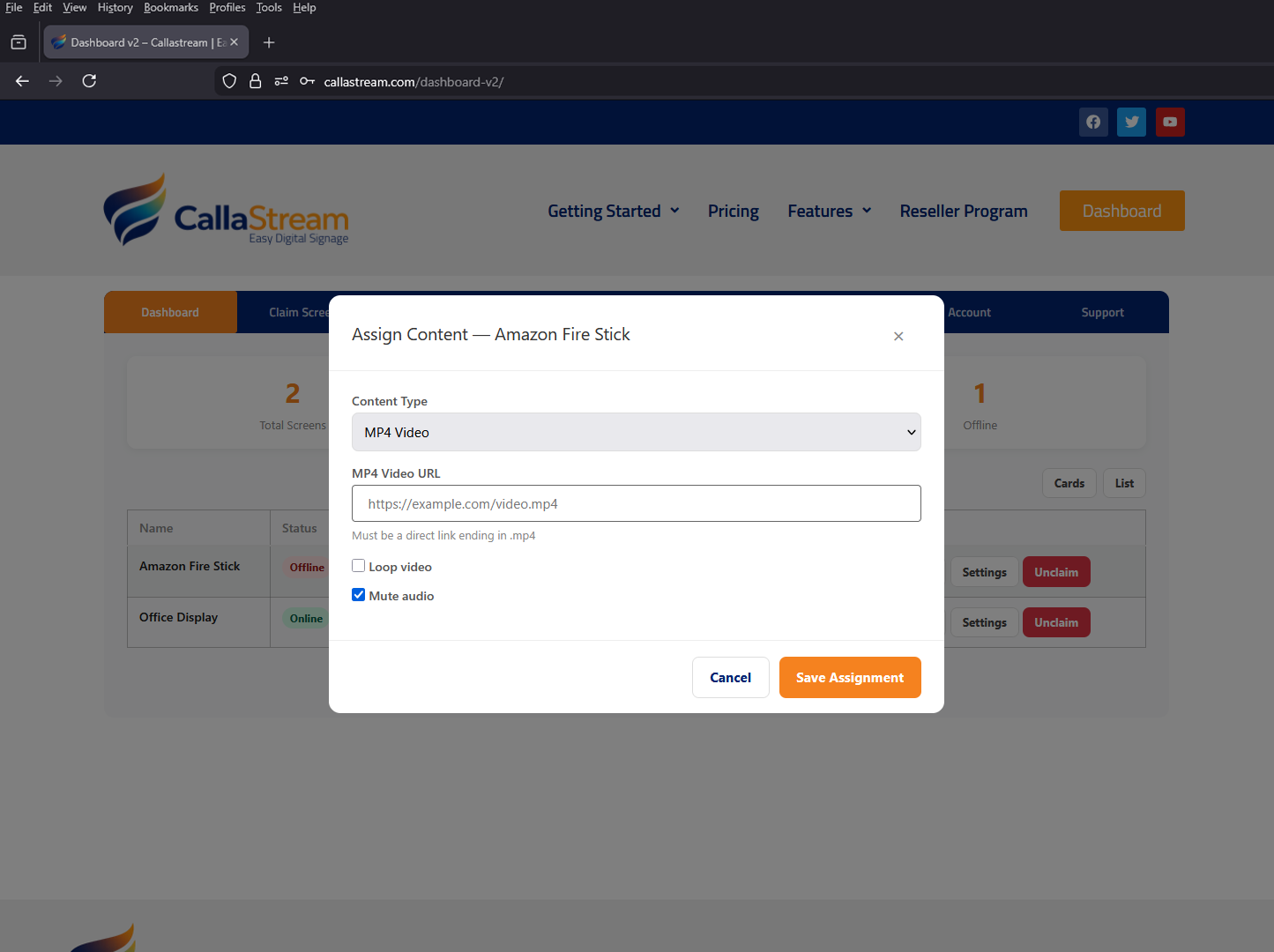

Just paste a URL — your video plays instantly
CallaStream's video feature is URL-based. Paste a direct link to an MP4 file or a Vimeo URL and CallaStream plays it full-screen on your display. No uploading large files to CallaStream — just a URL. Update the URL remotely anytime to change what's playing.
Get your video URL
Upload your video to Vimeo or use any publicly hosted video URL.
Paste it in the dashboard
Open CallaStream, select Video as the content type, and paste the URL.
Assign to any screen
Your video plays full-screen on the selected display immediately.
Where your video can come from
More video sources are coming soon.
MP4 Video URLs
Paste a direct link to any publicly accessible MP4 file and it plays full-screen on your display.
✓ Supported nowVimeo
Paste any Vimeo video URL and play it full-screen. Ideal for high-quality branded video content.
✓ Supported nowMore Sources Coming
Additional video sources and platforms are being added. More options are on the way.
Coming soonFull control over how your video plays
Configure exactly how your video behaves on screen — all managed from your CallaStream dashboard without touching the display.
Loop
Set video to loop continuously so it never ends on screen.
Mute
Mute audio for silent environments like waiting rooms or lobbies.
Fit Mode
Choose Cover, Contain, or Fill to control how video fills the screen.
Autoplay
Video starts playing automatically when assigned to a screen.
Who uses video on their screens
Retail
Play product videos, brand films, or promotional clips on store screens.
Lobbies
Loop branded video content in reception areas and waiting rooms.
Churches
Play worship videos or event highlights on lobby screens before services.
Events
Run sponsor videos or looping brand content throughout your event space.
Complete plan — $11/mo per screen
Video playback is a Complete plan feature. It includes everything in Standard and Scheduler, plus:
Ready to put video on your screens?
Start your Complete plan free trial and have videos playing on your screens today — just paste a URL and go.
Credit card required · Cancel before day 8 and you won't be charged