Callastream | Easy Digital Signage
Getting Started with
CallaStream
A simple, reliable digital signage platform designed to make managing screens effortless. Follow four easy steps and your screen is live.
Choose your player device
CallaStream works with three types of player devices. Pick the one that fits your setup. All work with the same dashboard.
Amazon Fire Stick
Plug directly into any HDMI port. Download the CallaStream Player from the Amazon Appstore and you're ready to go.
Setup guideAndroid Device
Use any Android TV, tablet, or phone. Download from CallaStream.com. Soon to be available on the Play Store.
Setup guideCallaStream Player
A pre-configured, plug-and-play dedicated player device. Zero setup. Just plug in and activate. Best for people who want a device built for signage.
Learn moreFour steps to a live screen
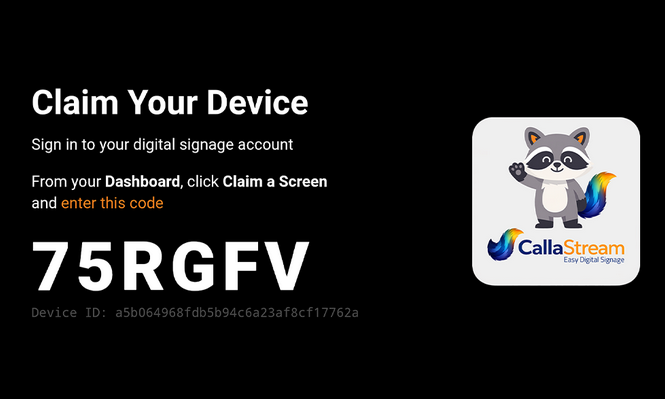
Install the CallaStream Player App
The CallaStream Player connects your screen to the platform, turning any compatible device into a managed digital signage display.
- Download from the Amazon Appstore on your Fire Stick or Download directly from CallaStream for your Android Device.
- Launch the app — your screen displays a unique activation code
- That code is what links your physical screen to your dashboard account
Claim Your Screen in the Dashboard
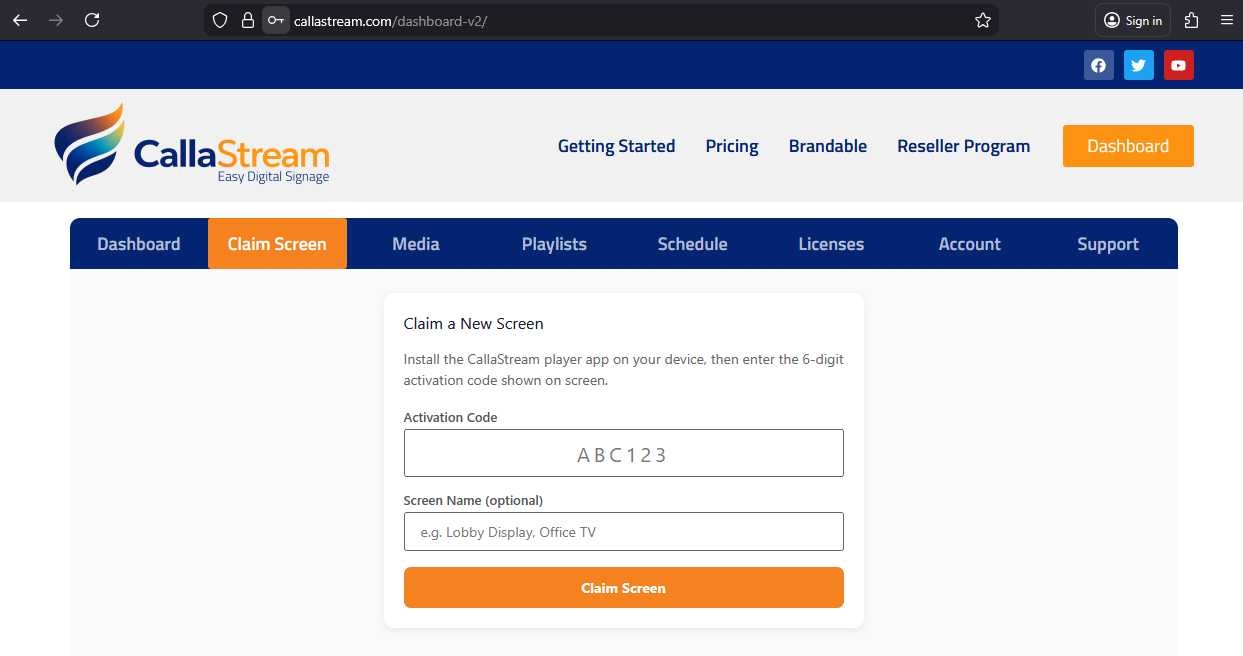
Log in to your CallaStream dashboard and enter the activation code to claim your screen.
- Secure device activation — your screen is tied to your account
- Claim as many screens as you need before checkout
- Claimed screens appear in your dashboard, ready to be activated
- Web-based — manage from any device, anywhere
Choose & Assign a License
CallaStream licenses are assigned per screen, not per user. Pricing is predictable and easy to scale — add screens as you grow.
- Select the license level that fits your needs
- Choose the number of licenses
- Complete checkout — licenses are assigned instantly
- Your screen begins displaying content immediately
Push Content to Your Screen
Once activated, your screen is live and ready. Push content instantly from the dashboard — no on-site access required.
- Upload images for slideshows
- Display live webpages or dashboards
- Push updates instantly from anywhere
- Manage all your screens remotely
- Schedule content by time, day, or event (Scheduler plan)
- Build multi-zone templates with live data (Complete plan)
Step-by-step instructions for your device
Amazon Fire Stick
The most popular CallaStream player. Plugs directly into any HDMI port — no extra hardware needed.
Android Devices
Use any Android TV, tablet, or phone. Compatible with Android TV boxes, phones in landscape mode, and more.
Ready to get your first screen live?
Create your account, install the app, and push your first piece of content — all in under 10 minutes.