Callastream | Easy Digital Signage
Android App
Turn any Android device into a managed digital signage display. Set it up once, control it forever from your dashboard.
📺 Android 5.0+
📦 4.5 MB
🅾 Free with account
🔄 Updated Apr 2026
Features
Your screen. Your content. Your control.
Install once and never touch the device again. Everything is managed remotely from your CallaStream dashboard or mobile app.
Remote content delivery
Push images, videos, webpages, and playlists to your screen instantly from any browser or the mobile app.
Scheduled content
Set different content to play at specific times and days. Your morning menu switches to lunch specials automatically.
Simple activation
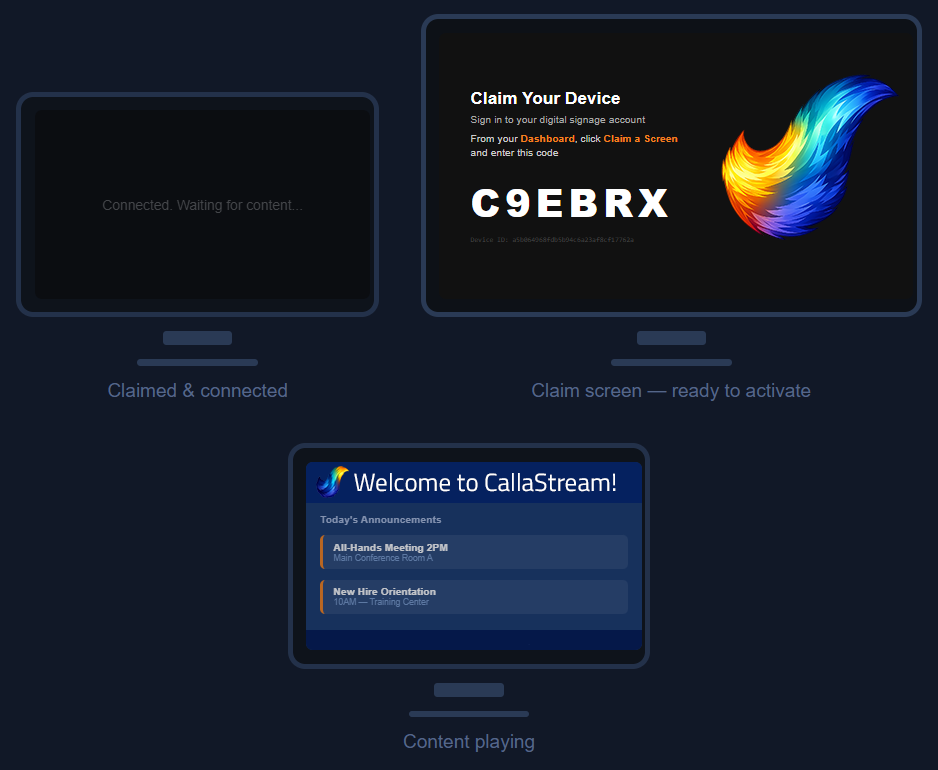
Install the app, enter the 6-character code in your dashboard, and the screen is live. No IT expertise needed.
Online monitoring
See which screens are online, what's playing, and when they last checked in — all from your dashboard.
Playlist support
Build playlists with multiple items and set each to play for a custom duration — great for slideshows and menus.
Auto-restart
The app launches automatically on boot and recovers from crashes, so your screen is always displaying content.
Compatibility
Works with hardware you may already own
No proprietary hardware required. CallaStream Player runs on affordable, widely available Android devices.
Android TV Box
Android 5.0+
Android Tablet
Android 5.0+
Android Phone
Android 5.0+
Requirements
System requirements
Android version
Android 5.0 or higher
File size
4.5 MB (APK)
Account required
Yes — free to create
Internet
Required for content sync
Storage
~20 MB installed
Permissions
Internet, Boot on startup
FAQ
Common questions
Does the app work on Amazon Fire Stick?
Yes — the CallaStream Player APK is compatible with Amazon Fire Stick and Fire TV devices. You can also find it on the Amazon Appstore.
What types of content can I display?
Images, videos, direct video links, web pages, and PDF documents (Scheduler and Complete plans). You can also build playlists and set content to rotate on a schedule.
What happens if the internet goes down?
The app continues displaying the last assigned content. Once the connection is restored, it automatically syncs any updates you made while offline.
Do I need a CallaStream account?
Yes — the player app connects to your CallaStream account to receive content assignments. Create a free account at callastream.com and start a 7-day free trial.
Will the app update automatically?
Google Play users receive updates automatically. For APK installs, download the latest version from this page when a new release is available.
Changelog
Version history
v1.5.0
Apr 2026
New Phone orientation follows system auto-rotate
New Responsive claim screen for phones and tablets
Fix TV scaling applies to TV devices only
New Responsive claim screen for phones and tablets
Fix TV scaling applies to TV devices only
v1.4.5
Mar 2026
New Google Play flavor build
Fix Claim screen logo loads correctly on first launch
Fix Claim screen logo loads correctly on first launch
v1.0.0
Feb 2026
New Initial release — WebView player, device claiming, auto-boot
Ready to put your screens to work?
Download the player app and claim your first screen in minutes.