Callastream | Easy Digital Signage
CallaStream on
Android Devices
Getting CallaStream running on your Google TV, Android TV box, tablet, or phone takes just a few minutes. No technical experience needed — if you can tap a screen or use a remote, you're ready.
📱 Android Phone |
📺 Android TV |
🖥 Android Tablet |
Works with a wide range of Android devices
CallaStream runs on any Android device connected to a display. Use what you already have or pick up a dedicated player.
Google TV / Android TV
Streaming boxes and sticks running Google TV or Android TV. Includes Chromecast with Google TV, NVIDIA Shield, and more.
Android Phones & Tablets
Any Android phone or tablet connected to a display via HDMI adapter or wireless cast. Great for portrait signage.
Android TV Boxes
Dedicated Android TV boxes connected to any HDMI display. Affordable and purpose-built for signage.
Follow these steps to go live
The CallaStream Player is installed manually on Android for now — it takes about 2 minutes and only needs to be done once. Coming soon to Google Play Store.
Enable "Install Unknown Apps"
Because the app isn't yet on the Google Play Store, you need to allow installation from external sources. This is a one-time setting.
Download the CallaStream Player APK
Open the browser on your Android device and visit the link below to download the CallaStream Player app file (APK).
Open the Downloaded File & Install
Once the download finishes, tap the Open notification or find the APK file in your Downloads folder. Tap it to begin installation, then tap Install on the confirmation screen.
Open CallaStream & Note Your Activation Code
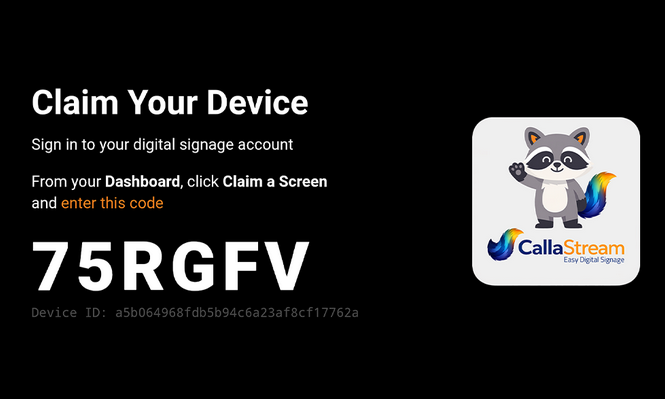
Once installed, open the CallaStream Player app. Your screen will display a unique activation code — this is what links your device to your CallaStream account.
Claim Your Screen in the Dashboard
Log in to your CallaStream dashboard at callastream.com/dashboard-v2 and enter the activation code shown on your display. Your screen appears in your account immediately.
Assign a License & Push Content
Assign a license to your screen from the dashboard and start publishing content. Your screen updates instantly — no rebooting, no on-site access needed.
Flexible hardware, powerful software
Use what you already own, or pick up a dedicated Android player.
Maximum Flexibility
Works with phones, tablets, TV boxes, and Google TV sticks — use hardware you already own.
Portrait Support
Android phones and tablets make perfect portrait-orientation signage displays out of the box.
Budget Friendly
Repurpose old Android devices or grab a cheap TV box — no need to buy specific hardware.
Scale Easily
Deploy CallaStream across dozens of devices with the same app, same dashboard, same workflow.
Your Android screen is minutes away from being live
Create your CallaStream account, install the app on your Android device, and push your first piece of content — all in under 10 minutes.
7-day free trial · Credit card required · Cancel before day 8 and you won't be charged
Using an Amazon Fire Stick instead?
Set up on Fire Stick instead →