Callastream | Easy Digital Signage
Control When Your Screens Are On
Not every screen needs to run 24/7. CallaStream's Scheduler lets you set exactly when each screen is active — by day and time. Save energy and keep your displays relevant to your actual hours of operation.
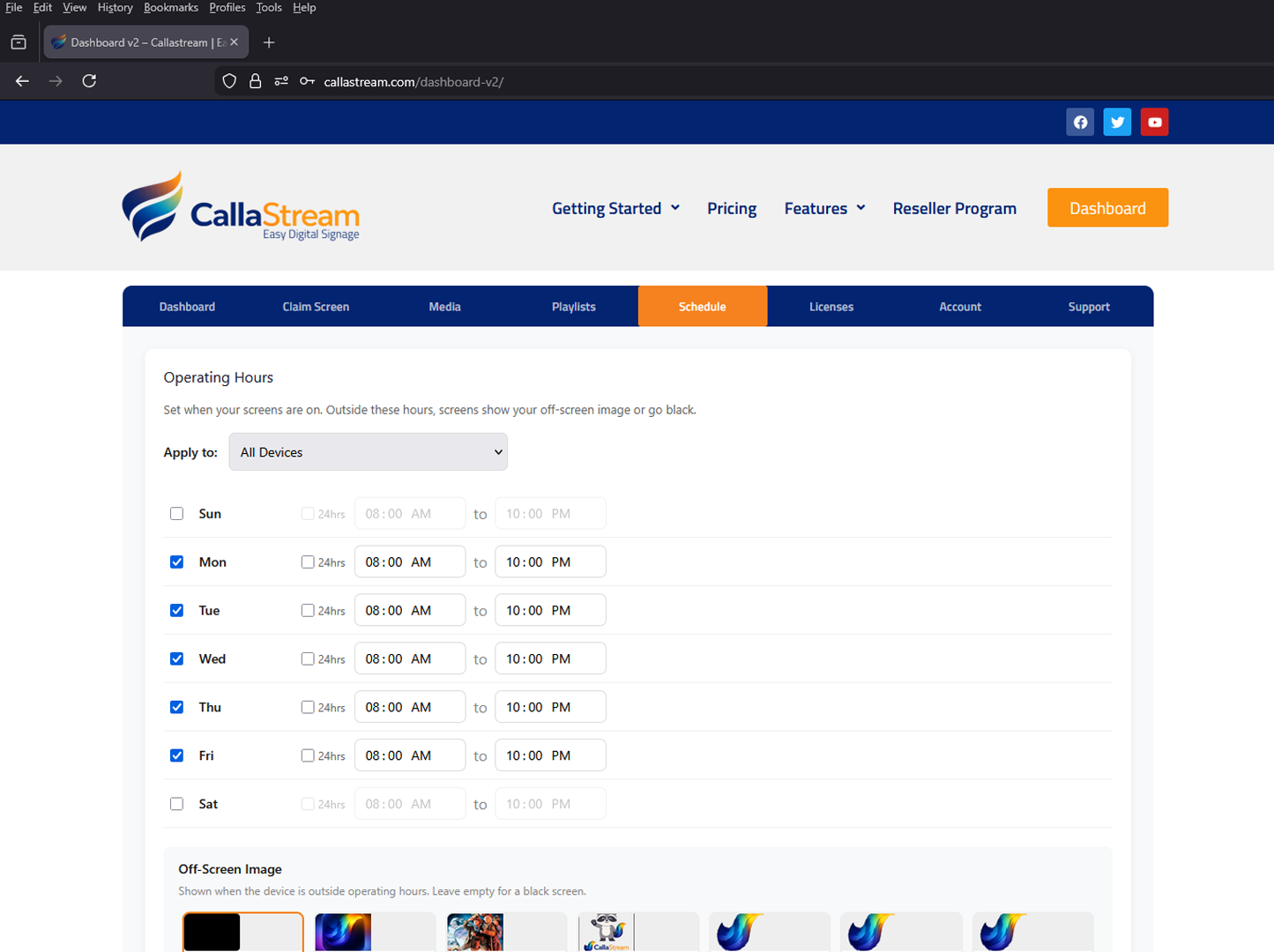

The Scheduler controls when screens are active — not what they display
The Scheduler sets the operating hours for each screen — when it turns on and off. It doesn't control which content plays at which time. For content rotation, use the Playlist Maker.
Set operating hours for every screen
Open the Schedule tab in your CallaStream dashboard and set the hours each screen should be active. Choose which days are enabled, set a start and end time, and CallaStream handles the rest automatically.
Stop thinking about your screens
No more manual on/off
Set the schedule once and your screens turn on and off automatically every day — no staff intervention needed.
Reduce energy consumption
Screens running 24/7 waste energy overnight and on closed days. The Scheduler ensures they only run when they need to.
Aligned with your business hours
Your displays stay relevant — active when customers can see them, off when they can't.
Businesses with set hours
Retail
Match screen hours to store hours — no staff needed to turn displays on or off each day.
Restaurants
Screens on for service hours, off overnight. Different hours for weekday vs weekend automatically.
Offices
Keep lobby and breakroom displays off outside business hours and on weekends without thinking about it.
Schools
Active only during school hours — off evenings, weekends, and holidays automatically.
Scheduler & Complete plans
The Scheduler feature is included in the Scheduler plan ($9/mo) and the Complete plan ($11/mo). Both also include Playlist Maker and Offline Alerts.
Also included in Scheduler & Complete
View all features →Put your screens on autopilot.
Set your operating hours once and never think about manually turning screens on or off again.
Credit card required · Cancel before day 8 and you won't be charged